
Ideal Programmer Overview
Catalog of 17,000+ Hours of.NET Video Tutorials
Where Do I Start?
 If you are new to .NET programming, here is the path you should take:
- Watch 7-minute video I did called Philosophy Behind IdealProgrammer
- Watch the one-hour video series I created called Putting the Pieces Together that gives a high-level overview of dotNET programming
- Download free tool I created called IdealAutomate to save 30-minutes each day in time spent launching tools and navigating to content.
- Watch Bob Tabor’s free video series called SQL Server Express (8 hours)
- Watch Fritz Onion’s video series called Introduction to ASP.NET 4 WebForms (8.5 hours)
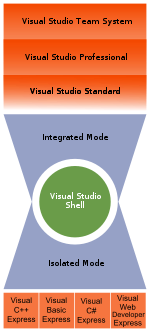
- Install latest Express Editions of:
- Use DiscountAsp to create a portfolio of websites that you can use to demonstrate your skills to others
- Print these five cheat sheets and put them on your wall
- Download the free demo version of Instant C# that allows you to convert vb code snippets up to 100 lines long to C-Sharp
- Download the free demo version of Instant VB that allows you to convert C-Sharp code snippets up to 100 lines long to VB.NET
- Subscribe to Pluralsight Pluralsight
Software 100% Free and Most of the Videos are Free The good news is that all of the software you will download to do the coding is 100% free! The great news is that many of the videos are also free. Microsoft does require that you register with them to view their webcasts and you also have to use Internet Explorer browser, instead of Firefox, Safari, etc., but it is totally free. Watching the 100+ Hour Streamlined Syllabus once, may lead to a jr. programming position; and twice, will put you ahead of the "curve."
Simple 4-Step Plan
1. Model Ourselves After the Ideal. We should model ourselves after the best "ideals" we can find. In the dotNET world, those ideal teachers are found at Microsoft. The best teachers are the ones that know the material backwards and forwards so that they can present it in a streamlined manner – these instructors do just that. We need to learn the material backwards and forwards too.
2. Take Massive Action to Transform Self to Ideal Anyone can take some action to become more like the ideal. What we want to do is take massive action. Just any random action will not do! It must be highly focused, intelligent, and organized action that is executed according to a plan.
3. Use Progress Monitor to Track Your Progress Progress Monitor gives you an easy way to keep track of the videos as you watch them.
4. Use DiscountASP Hosting when Ready to "Go-Live" DiscountAsp is the best hosting company that I have found for .NET applications. They provide many SQL tools that make it easy to remotely manage your sql database directly from your computer that other website hosting companies like GoDaddy do not. Please watch the video below or click the following link to get a list of the steps involved in "going live" with DiscountASP: "GoLive" – How to Use DiscountASP to Connect Web Site to Database (Hint: When using DiscountASP to build a portfolio of web sites to demonstrate your skills, you can use starter kits to jump-start your progress.)
