
SharePoint Products and Technologies for Developers – 16-Part Video Series

Here is a collection of free video tutorials on SharePoint for Developers. The 16-part video series is presented by Microsoft’s Mike Benkovich and Lynn Langit.
Microsoft SharePoint is also called Microsoft SharePoint Products and Technologies. SharePoint is a collection of products and software elements that includes:
- web browser based collaboration functions
- process management modules
- search modules and a document-management platform
SharePoint can be used to host web sites that access:
- shared workspaces
- information stores
- documents
- host defined applications such as wikis and blogs
All users can manipulate or interact with:
- web parts
- lists
- document libraries

Background:
The term “SharePoint” can collectively refer to a number of products ranging from the base platform to various services. The platform is Windows SharePoint Services (WSS), which is included with Windows Server and available as a free download for those with Windows Server licenses. (Vista users can use a helper application from Bamboo Nation to allow them to run SharePoint without having to have Windows Server installed.) Services such as Microsoft Office SharePoint Server (MOSS) provide additional functionality and features and are licensed accordingly.
SharePoint Family of Products:

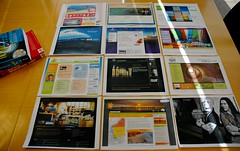
 photo credit: Wonderlane
Here are the current SharePoint products and technologies:
- Windows SharePoint Services 3.0 (WSS)
- Search Server 2008 Express
- Search Server 2008
- Forms Server 2007
- Microsoft Office SharePoint Server 2007 MOSS Standard
- Microsoft Office SharePoint Server 2007 MOSS Enterprise
- Microsoft Office Groove Server 2007
- Microsoft Office Project Server 2007
- Microsoft Office SharePoint Designer
SharePoint, as a collection of technologies, is not intended to simply replace a full file server or to be a single use solution. Instead, it is geared and positioned to play various roles in the business and enterprise environment. Microsoft markets these vectors as Collaboration, Processes, and People.
The SharePoint user interface is a web interface accessed through a browser. While all browsers are supported, only Internet Explorer is fully integrated and able to utilize the full functionality of a SharePoint Solution.
SharePoint sites are functionally ASP.NET 2.0 web applications, which are served using IIS and use a SQL Server database as a data storage back end. All site content data, such as items in document libraries and lists, are stored within an SQL database named by default as “WSS_Content_[ID]”.
Microsoft Search Server:
Microsoft Search Server (MSS) is an enterprise search platform from Microsoft. It builds on the search capabilities of Microsoft Office SharePoint Server. MSS shares its architectural underpinnings with the Windows Search platform for both the querying engine as well as the indexer. MOSS search provides the ability to search metadata attached to documents.
Microsoft has made Microsoft Search Server available as Search Server 2008, released March 2008. A free version, Search Server 2008 Express, is also available. The express edition features the same feature set as the commercial edition, including no limitation on the number of files indexed. However, it is limited to a stand-alone installation and cannot be scaled out to a cluster.
Microsoft Office SharePoint Designer:
Microsoft Office SharePoint Designer is a free WYSIWYG HTML Editor that administrators can use to customize the design of the SharePoint site and that end users can use in designing workflows. SharePoint Designers is the successor to Microsoft FrontPage and replaces it.
More Resources:
- SharePoint Designer Home Page
- SharePoint’s Founding Father, Jeff Teper, Talks About the SharePoint History, Vision, and Lessons Learned
- Sharepoint Community Portal
- Windows SharePoint Services
- Microsoft Office SharePoint Server 2007
- SharePoint Server Role in Windows Server 2008
- SharePoint Team blog
- Microsoft Momentum: Midsize Business Center Newsletter
- White Paper describes how different versions of Office work with Sharepoint
SharePoint Products and Technologies for Developers Videos
| Series | Title | Date | Presenter | Min |
|---|---|---|---|---|
| SharePoint Products and Technologies for Developers | SharePoint Server 2007 as a Development Platform – Part 1 | 4/13/07 | Mike Benkovich & Lynn Langit | 60 |
| SharePoint Products and Technologies for Developers | Introduction to SharePoint Designer 2007 – Part 2 | 4/16/07 | Mike Benkovich & Lynn Langit | 60 |
| SharePoint Products and Technologies for Developers | Site Conversion to Windows SharePoint Services – Part 3 | 4/23/07 | Mike Benkovich & Lynn Langit | 60 |
| SharePoint Products and Technologies for Developers | Windows SharePoint Services and Access 2007 – Part 4 | 4/30/07 | Mike Benkovich & Lynn Langit | 60 |
| SharePoint Products and Technologies for Developers | SharePoint and Workflow – Part 5 | 5/11/07 | Mike Benkovich & Lynn Langit | 60 |
| SharePoint Products and Technologies for Developers | SharePoint and Content Sites – Part 6 | 5/18/07 | Mike Benkovich & Lynn Langit | 60 |
| SharePoint Products and Technologies for Developers | SharePoint and Form Services – Part 7 | 5/25/07 | Mike Benkovich & Lynn Langit | 60 |
| SharePoint Products and Technologies for Developers | SharePoint and Business Data Catalog – Part 8 | 6/01/07 | Mike Benkovich & Lynn Langit | 60 |
| SharePoint Products and Technologies for Developers | WebParts and Workflows – Part 9 | 6/08/07 | Mike Benkovich & Lynn Langit | 60 |
| SharePoint Products and Technologies for Developers | Sites and Templates – Part 10 | 6/15/07 | Mike Benkovich & Lynn Langit | 60 |
| SharePoint Products and Technologies for Developers | SharePoint and Business Intelligence – Part 11 | 6/22/07 | Mike Benkovich & Lynn Langit | 60 |
| SharePoint Products and Technologies for Developers | Developing SharePoint Workflows – Part 12 | 7/06/07 | Mike Benkovich & Lynn Langit | 60 |
| SharePoint Products and Technologies for Developers | Customizing SharePoint – Part 13 | 3/06/08 | Mike Benkovich & Lynn Langit | 60 |
| SharePoint Products and Technologies for Developers | SharePoint Authentication – Part 14 | 3/13/08 | Mike Benkovich & Lynn Langit | 60 |
| SharePoint Products and Technologies for Developers | SharePoint and AJAX – Part 15 | 3/20/08 | Mike Benkovich & Lynn Langit | 60 |
| SharePoint Products and Technologies for Developers | SharePoint and Silverlight – Part 16 | 3/27/08 | Mike Benkovich & Lynn Langit | 60 |
